
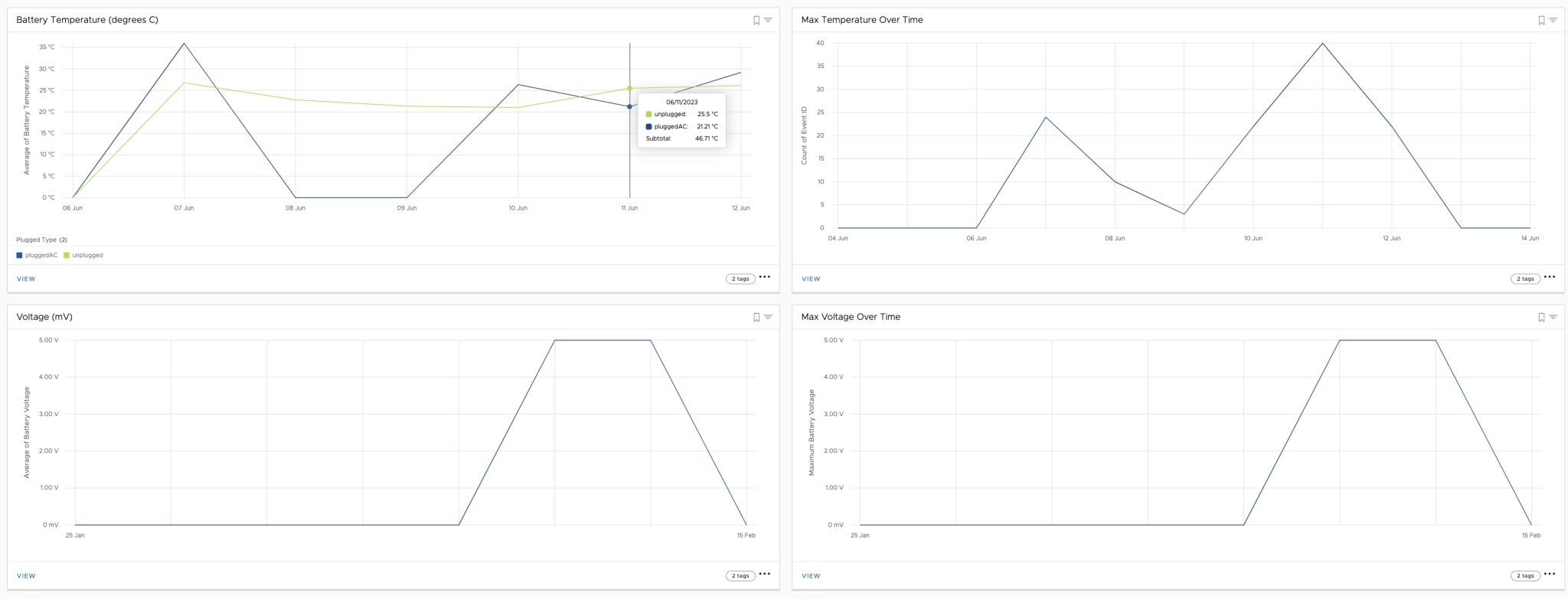
Spotting what’s causing a bad experience for mobile workers starts with a deep dive into device problems. The latest Workspace ONE Intelligence SDK goes further than just application data – it now gathers detailed information on devices, network information and battery health. This treasure trove of insights lets IT proactively improve the digital experience.
These new capabilities are summarised as follows:
- Battery related use cases such as voltage information, not plugged in, abnormal charge rates
- Network related use cases such as network latency, WiFi strength and Jitter
- Device related use cases such as CPU utilisation, storage and location information.
The full list of capabilities are detailed in this release article. This capability is available via the Workspace ONE Mobile Analytics Add-On.
Note: Deploy version 24.05 (or later) of the Launcher which includes the new SDK. It includes a number of enhancements including a fix for excessive data consumption – see this kb for further details.
Enabling device telemetry in Launcher
To enable this capability in Workspace ONE Launcher (on Android) login to the Workspace ONE admin console.
Select Groups&Settings – All Settings – Apps – Settings and Policies – Settings. Then add “CaptureDEXData”:true as follows:

Click Save when complete. Give this a few minutes to be applied to your remote devices.
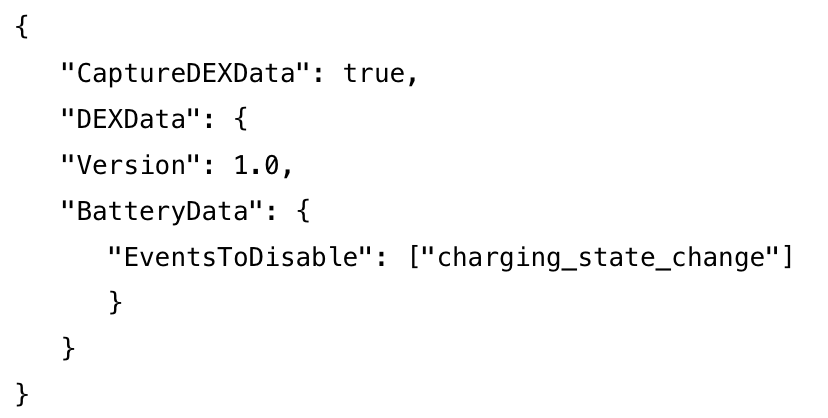
Note: Please see this article on how you can specifically enable/disable collecting information events such as charging state. This would be configured for example as follows:
Adding the new mobile telemetry dashboards in Intelligence
Download the new dashboards from here and expand the ZIP file. You’ll then login to Workspace ONE Intelligence, then select Add – Import Dashboard as shown.

Import a number of supplied dashboards such as Mobile Battery Performance Monitoring.json and Mobile Device Network Monitoring.json.
Once these are loaded you should then view these new dashboards including associated mobile device information. See this video showing a few dashboards from my lab:
That’s it! Let us know what you think.
 Many Miles Away